

Have you ever wanted to try out trading without risking your money? Trading simulators let you do just that by creating a safe, pretend market environment. They copy real trading conditions so you can work out strategies with a fake budget. In this post, we take a closer look at how these tools help you test ideas, learn new skills, and build confidence before you start trading with real cash. It's a hands-on way to get closer to success.
How Trading Simulators Provide Risk-Free Practice
Trading simulators let you test your trading ideas without risking your money. They copy real market actions so you can practice just like you would with real money. For example, platforms like Warrior Trading’s Paper Trading Simulator and thinkorswim® paperMoney® use the same technology that real brokerage accounts use. This setup gives you a hands-on feel for trading U.S. stocks and options in real time.
These systems usually come with a virtual budget, often up to $100,000, that you can adjust if needed. This gives you the freedom to experiment with strategies and make changes without worrying about losses. They also provide detailed market data and handy tools to manage orders and track your results. Imagine picking a new stock and watching its price change right before your eyes, just like a live trading session.
This practice environment bridges the gap between theory and real-market experience. It offers a safe, interactive space to see how orders get executed and to test out your ideas under conditions that feel genuine. Whether you’re just starting out or you’ve been trading for a while, using a trading simulator is a smart way to build up your skills and boost your confidence before you trade with real money.
Key Features to Look for in a Trading Simulator

When you're picking a trading simulator, it's smart to check for the features that make your practice feel as close to real trading as possible. A top-notch platform gives you live trading practice using Level 2 data (that is, real-time details of how orders are flowing in U.S. stocks and options). This means you can watch updated bid and ask numbers, giving you a clear picture of market momentum. It’s almost like feeling the buzz of real trades, which is great if you're testing out day-trader strategies.
Some simulators come with in-depth reporting tools so you can later see a breakdown of your trade decisions. Picture placing an order and then checking out an easy-to-read dashboard that shows exactly when you got in, when you exited, and how you did overall. Plus, having features like trailing stops and smart margin tools makes a big difference. These tools adjust your orders automatically as prices shift, which can help protect you from sudden, unpredictable market moves.
Also, a simulator that offers stock scanning filters can really speed up your decision-making. It works a bit like setting criteria in a search, helping you zero in on stocks that meet your needs quickly. And if you’re interested in practicing with foreign currencies, many simulators include Forex training options too. For those who like a bit more complexity, some platforms let you try out algorithmic trading. This means you can set up rules for your trades and watch them execute automatically, just like in real-life trading.
In the end, all these features come together to give you a well-rounded, risk-free way to understand market behavior and fine-tune your own trading style.
Trading Simulator Platforms Compared: Reviews and Ratings
If you're checking out trading simulators, it's smart to compare them side by side to see which one fits your needs best. Two tools to consider are thinkorswim® paperMoney® and Warrior Trading’s paper-trading simulator. Both give you a taste of live-market trading in a risk-free setting. PaperMoney® stands out with its focus on learning, advanced charts, and no commission fees, ideal if you're fine-tuning your market analysis. Conversely, Warrior Trading offers a fast-paced experience with $100,000 in virtual cash, real-time Level 2 quotes (detailed market price data), and tools geared especially toward day traders.
| Platform | Supported Markets | Virtual Buying Power | Key Data Feeds | Commission Structure | Unique Tools |
|---|---|---|---|---|---|
| thinkorswim® paperMoney® | US Equities, Options | $100,000 (default) | Advanced charting, Level 2 data | $0 commissions | Learning modules, analysis tools |
| Warrior Trading Simulator | US Equities, US Options | $100,000 (customizable) | Real-time Level 2 quotes | $0 online trades | Day-trader tools, order management |
Both simulators offer a realistic trading feel. With thinkorswim® paperMoney®, you can explore detailed charting that helps you see how market trends work. On the other hand, Warrior Trading’s simulator mimics a live market closely, letting you practice quick decisions in a fast-changing environment. Have you ever wondered how testing strategies in a safe environment might boost your confidence before you trade for real? Exploring these platforms might even lead you to comprehensive options like investment platforms that offer a more integrated market experience. Either way, you'll get a chance to hone your skills without risking a dime.
Using a Trading Simulator: Step-by-Step Tutorial
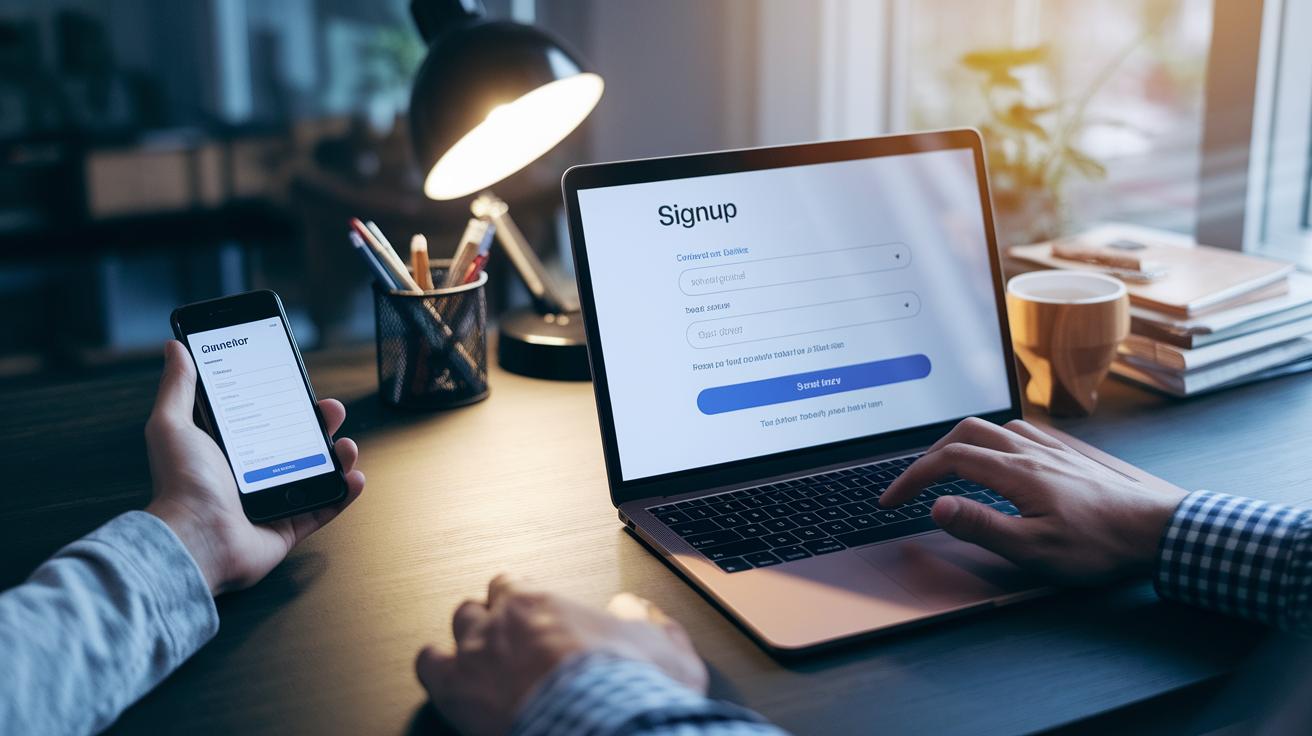
Start by registering for your chosen simulation trading platform. Whether you’re using thinkorswim® paperMoney® or the Warrior Trading system, head over to the paper trading section and sign up. It’s a simple process that gets you set up in no time.
After you’ve registered, set your virtual buying power. Most platforms give you around $100,000 to work with, which offers plenty of room to try out various strategies. If you're curious about how a change in the market might influence your trades, adjust your buying power to mirror your typical trading style.
Next, decide which market you’d like to practice on, whether it’s U.S. stocks or options. If you’re new to this simulated environment, start with just a few trades. Think of it like riding with training wheels until you’re more comfortable. And don’t forget to turn on Level 2 quotes so you can see live market data and make smarter decisions.
Finally, try placing some fake orders, market orders, limit orders, or stop orders, and watch the results. Use the built-in reporting tools to review how each trade performed. These reports break down your trades, offering useful tips and timing insights. For more detailed guidance on setting up your account, check out the paper trading instructions available at paper trading.
Pricing Options and Free Trading Simulation Platforms
A lot of traders want to test out a trading simulator without having to pay anything. With a Schwab account, platforms like thinkorswim® paperMoney® give you a free trading simulation and even come with a Satisfaction Guarantee. This means you can try your strategies without worrying about fees, all while experiencing a platform that feels like the real market.
If you subscribe to Warrior Trading, you'll get their trading simulator at no extra cost. You can practice in a risk-free virtual setting without any hidden fees for trading. This model is great for beginners who want to experiment with their strategies without extra charges.
Some simulators let you jump in without any signup, so you can quickly play around with virtual money before moving on to more advanced tools. Often, these demo platforms offer trades without any commission fees, making it a cost-effective way to refine your skills. And if you ever need more detailed reports or premium data, optional paid upgrades are available. This way, whether you’re just starting out or already seasoned, you can choose a trading simulator that fits both your budget and your needs while learning in a realistic, risk-free environment.
Advanced Simulation Tools for Experienced Traders

Advanced trading simulations give skilled traders a way to fine-tune their complex plans without risking real money. They come with features like algorithm back-testing modules, which let you try out rule-based trading ideas in a pretend market that feels just like the real one. Imagine setting up your own trading signals and then watching your plan work during fake daily trades, like fine-tuning a race car before you hit the track.
Portfolio simulation tools show you the big picture by modeling entire investment portfolios instead of just single trades. This way, you can see how different investments work together when market conditions change. Think of it like a dashboard that updates every minute, clearly showing the impact of every simulated move. It’s a hands-on method to understand how different assets connect and what risks might be involved.
Another neat feature is real-time tracking of intraday trades. With live updates, you can spot fresh opportunities, adjust stop orders, and keep an eye on key margin variables with care. These simulators even work with custom watch-list scanners, ensuring every test order is handled accurately.
These smart tools mimic how brokers operate so that your strategies can switch easily to live trading. For example, a portfolio simulation tool lets you change your investments as fast-moving prices are tracked. Every adjustment becomes a learning moment that paves the way for success in real trading.
2 trading simulator: Excel in Virtual Trading
Step into the world of simulated trading as if every dollar were real. Treat each virtual dollar with the same care as actual money. Keep a trade journal where you jot down why you made a trade, how you set your stop orders, and what you learned after closing your position. For instance, you might write, "Today, I tried a limit order strategy during a very volatile market session."
Setting daily profit and loss limits is a wise move that helps you control risk and keep emotions in check. Focus on testing one strategy at a time so you can really learn from each experiment. When you review Level 2 data, watch the bid and ask numbers closely, almost like they matter as much as real money. This approach lets you fine-tune your tactics with every small change.
As you grow more comfortable, consider shifting gradually to live trading. Just remember, success in simulation doesn't guarantee the same outcome with real cash. For clear, step-by-step guidance, check out resources on day trading for beginners and explore insights into the best investment strategies.
Final Words
In the action, this post broke down how a trading simulator can give you a risk-free environment to test your strategies. It explored key features, compared popular platforms, and offered a clear tutorial to start practicing.
We also touched on cost options and advanced tools for more experienced traders. This guide offers simple, actionable tips for beginners to build confidence and learn market trends. Using a trading simulator helps you take smart steps toward an informed investment experience. Keep testing, keep learning, and stay positive.
FAQ
What is a trading simulator game?
The trading simulator game mimics real market trading using virtual money so you can test strategies safely without financial risk.
Are there free trading simulator platforms available?
The free trading simulator platforms let you practice using virtual funds at no cost, offering tools that mirror live market conditions for risk-free learning.
Which trading simulator is best?
The best trading simulator offers realistic market data, advanced order tools, and detailed reporting features, making it useful for both beginners testing strategies and experienced traders refining skills.
Does a day trading simulator help me improve my trading skills?
The day trading simulator recreates real-time market conditions so you can practice placing orders and test strategies, building confidence in your decision-making without risking actual money.
Can day trading simulators help me earn $1,000 or $200 per day?
The simulator helps you practice your techniques but real earnings like $1,000 or $200 depend on market performance and skill; simulation success does not guarantee real profits.
Do simulators exist for options, futures, and forex trading?
The simulators for options, futures, and forex trading replicate their specific market rules and pricing, letting you safely experiment with strategies using virtual money.
How does a trading simulator app differ from a web-based platform?
The trading simulator app offers a mobile-friendly interface for practice on the go, while web-based platforms generally provide a broader range of analytics and features on a desktop environment.
What value do communities like those on Reddit add to trading simulators?
The trading simulator Reddit communities share user experiences and advice, helping you find reliable platforms and learn practical tips to enhance your simulation trading skills.
